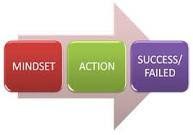
Although Android can support almost all of our formal activity but there are several factors that we have to consider for basic mindset before we start create or make some development.
These factors are really important,as we know that mobile devices such as android mobile is design for smart gadget which help us doing many things in everywhere anywhere.So mobile devices should really portable and easy to carry out.
Small and portable, mobile devices offer exciting opportunities for software development. Their limited screen size and reduced memory, storage, and processor power are far less exciting, and instead present some unique challenges.
Compared to desktop or notebook computers, mobile devices have relatively issue:
These factors are really important,as we know that mobile devices such as android mobile is design for smart gadget which help us doing many things in everywhere anywhere.So mobile devices should really portable and easy to carry out.
Small and portable, mobile devices offer exciting opportunities for software development. Their limited screen size and reduced memory, storage, and processor power are far less exciting, and instead present some unique challenges.
Compared to desktop or notebook computers, mobile devices have relatively issue:
- Low processing power
- Limited RAM
- Limited permanent storage capacity
- Small screens with low resolution
- Higher costs associated with data transfer
- Slower data transfer rates with higher latency
- Less reliable data connections
- Limited battery life
Coding should Be Eficient
Manufacturers of embedded devices, particularly mobile devices, value small size and long battery life over potential improvements in processor speed. For developers, that means losing the head start traditionally afforded thanks to Moore’s law. The yearly performance improvements you’ll see in desktop and server hardware usually translate into smaller, more power-eficient mobiles without much improvement in processor power.
In practice, this means that you always need to optimize your code so that it runs quickly and responsively, assuming that hardware improvements over the lifetime of your software are unlikely to do you any favors.
In practice, this means that you always need to optimize your code so that it runs quickly and responsively, assuming that hardware improvements over the lifetime of your software are unlikely to do you any favors.


%2BPortable%2BApktool%2BAshockk.com.png.png)
